

Learn
See what learners experience in the Learner Portal: how they find assigned Roleplay Sessions, complete them, and track their own progress and scores.
The Learn section, which includes My assignments and My progress, is what learners see when they log in. It's a simple, focused space with two views: the Sessions currently assigned to them, and a running record of their own attempts, scores, and status, so they always know what to do next and how they're doing.
My assignments
In the Learner Portal, My assignments is where any Roleplay Session that's been assigned to them shows up, and it's where they go to start and complete it. Learners will only see content that's actually been assigned to them, either individually or through a Learner Group they belong to.
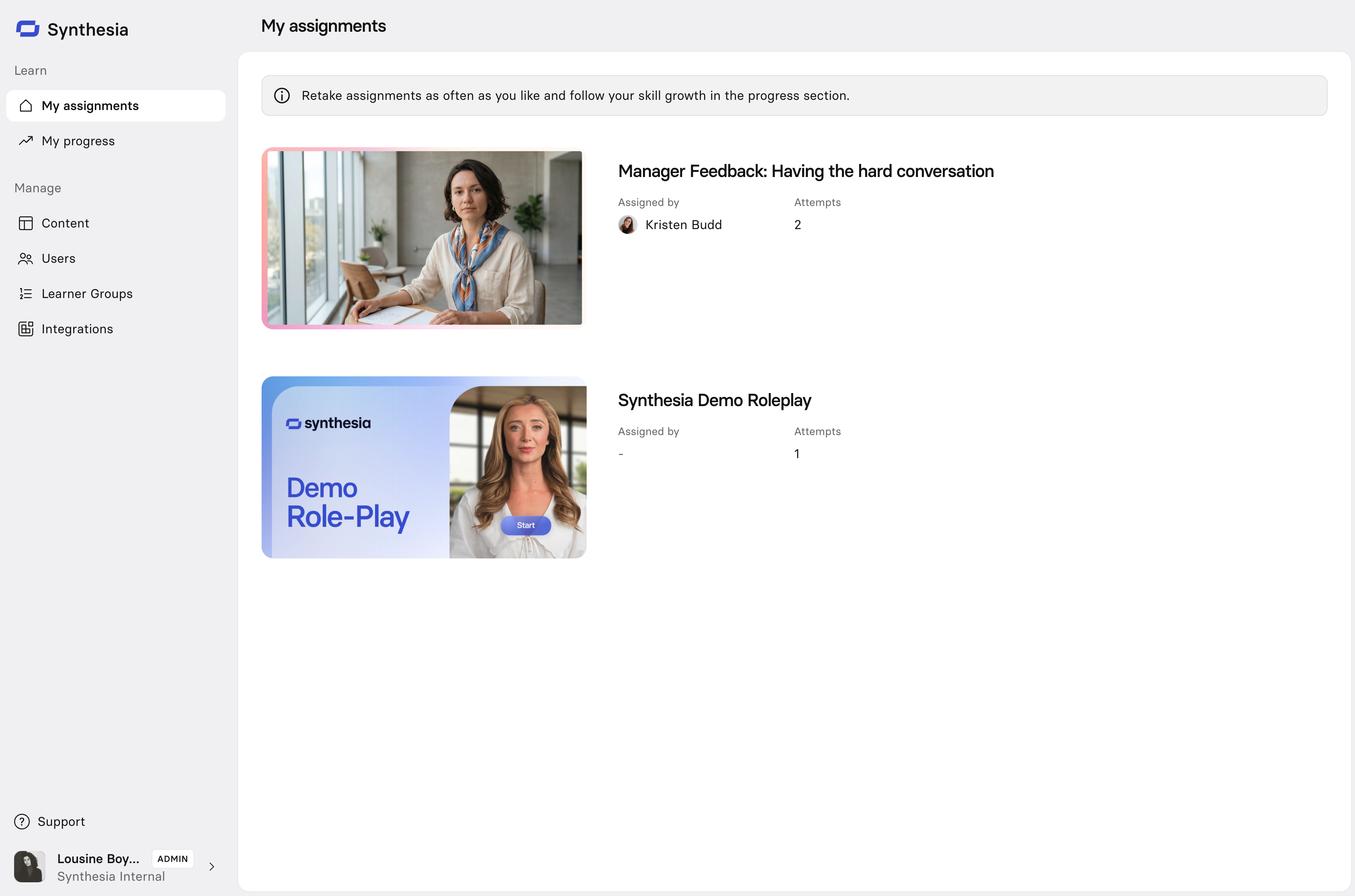
The moment an admin assigns a Session, it appears here (alongside the email and Slack/Teams notification, if enabled). It's distinct from My progress, which is where learners see their history (attempts, last session date, status, and best score) across everything they've done, not just what's currently pending.
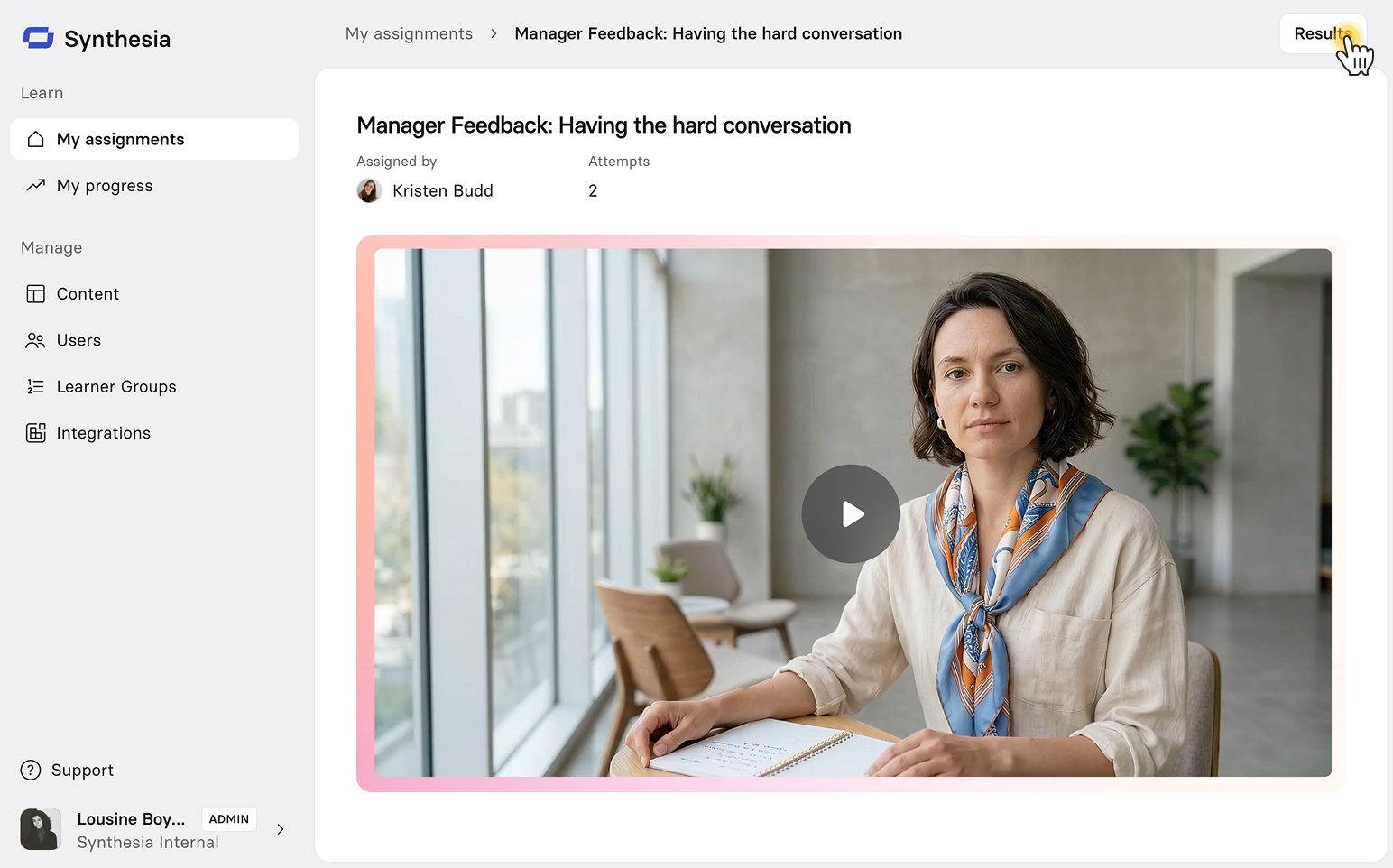
Once a learner has completed at least one attempt, they can select Results on that Session to see their performance in detail.
My progress
Under My progress, learners see their full Session history: every Session, how many attempts they've made, their last session date, their status, and their best score. Learners only ever see their own data, not anyone else's.
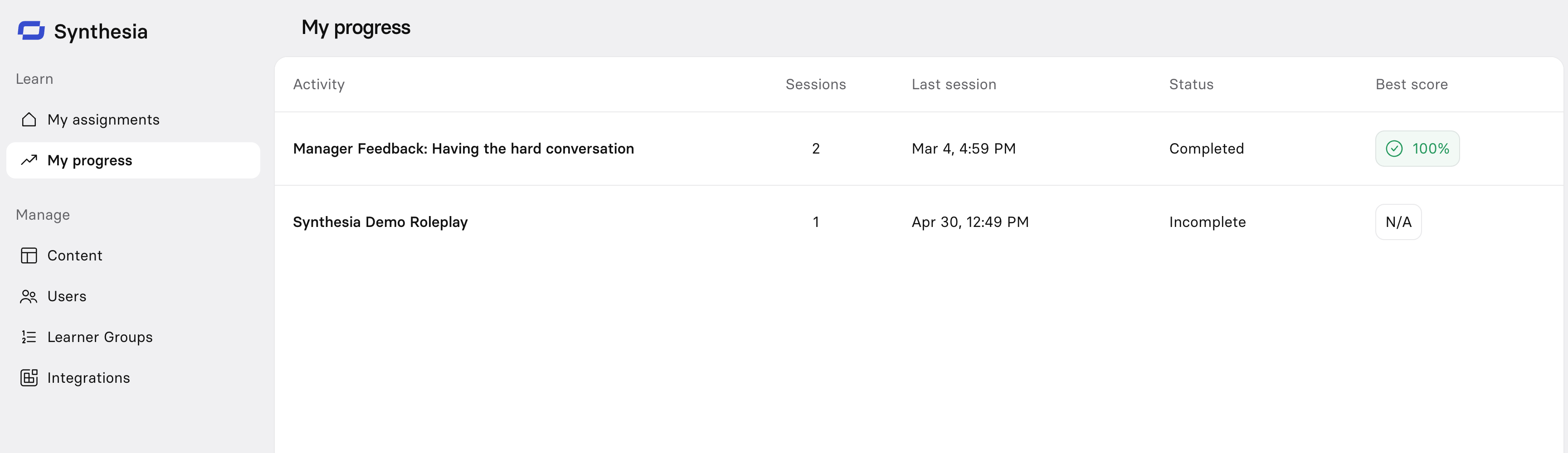
Select any Session in the list to see its full attempt history.
My progress only reflects Sessions assigned to you through the Learner Portal. Attempts you complete via an LMS or a share link—even ones tied to your identity through sign-in—won't appear here, though your managers and Enablement Admins can still see them in analytics.
Analytics
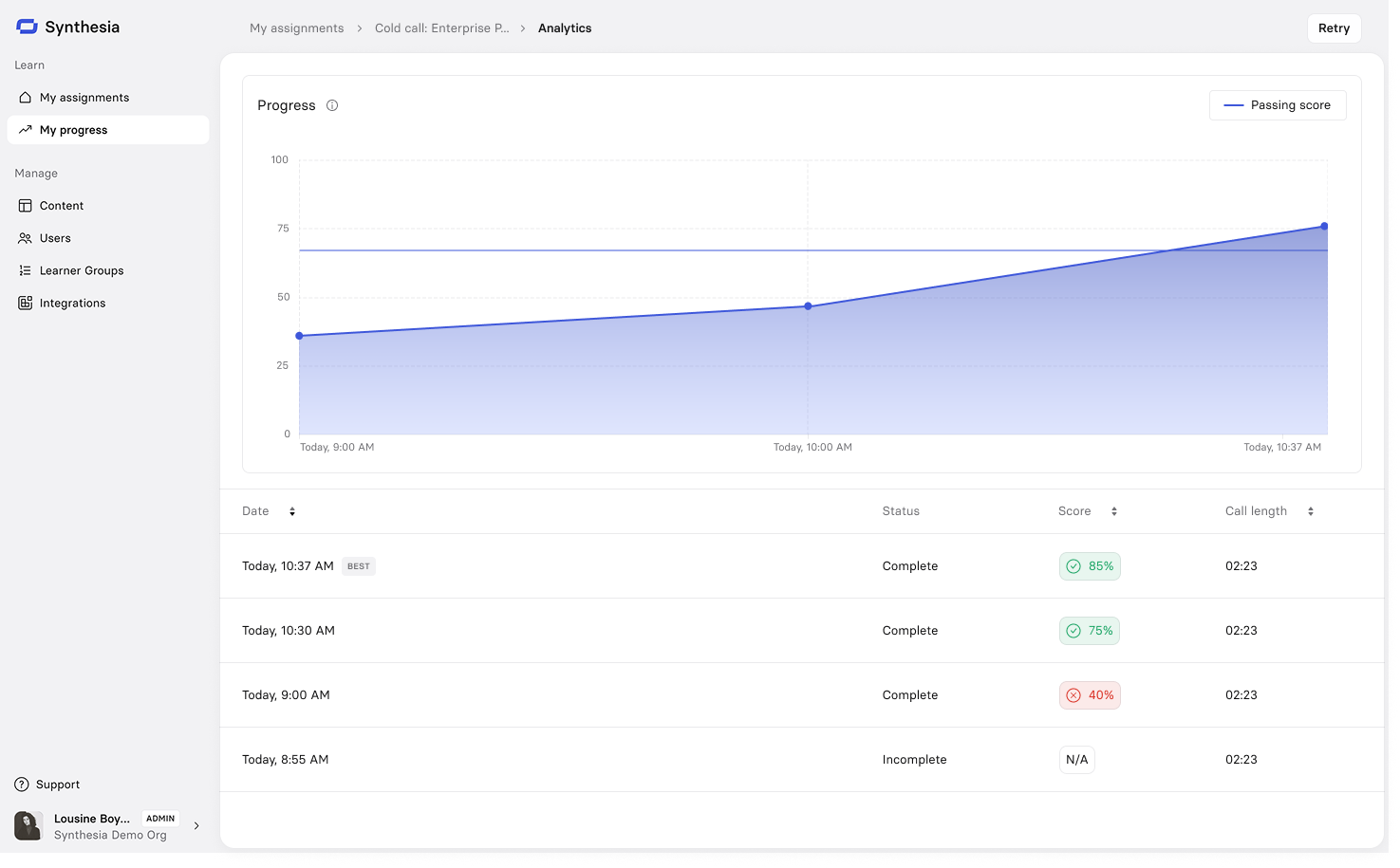
Selecting Results from a Session in My assignments, or selecting a Session from My progress, opens the same Analytics page: a full breakdown of the learner's performance on that Session.
Progress chart
A line chart plots the learner's score (0–100%) across their attempts, in chronological order, with each attempt shown as a point along the line and the area beneath it shaded in. A horizontal Passing score line marks the threshold they need to hit, so it's immediately clear whether an attempt cleared the bar.
Attempts
Below the chart, every attempt is listed individually with:
- Date: when the attempt was made (sortable)
- Status: Complete or Incomplete
- Score: shown as a percentage in a colored badge (sortable)
- Green with a checkmark if the attempt passed
- Red with an X if the attempt didn't pass
- Incomplete attempts show N/A
- Call length: how long the conversation ran (sortable)
The learner's highest-scoring attempt is flagged with a BEST tag.
Selecting an individual attempt from the table opens a full breakdown of that specific conversation, with the transcript alongside it for reference.
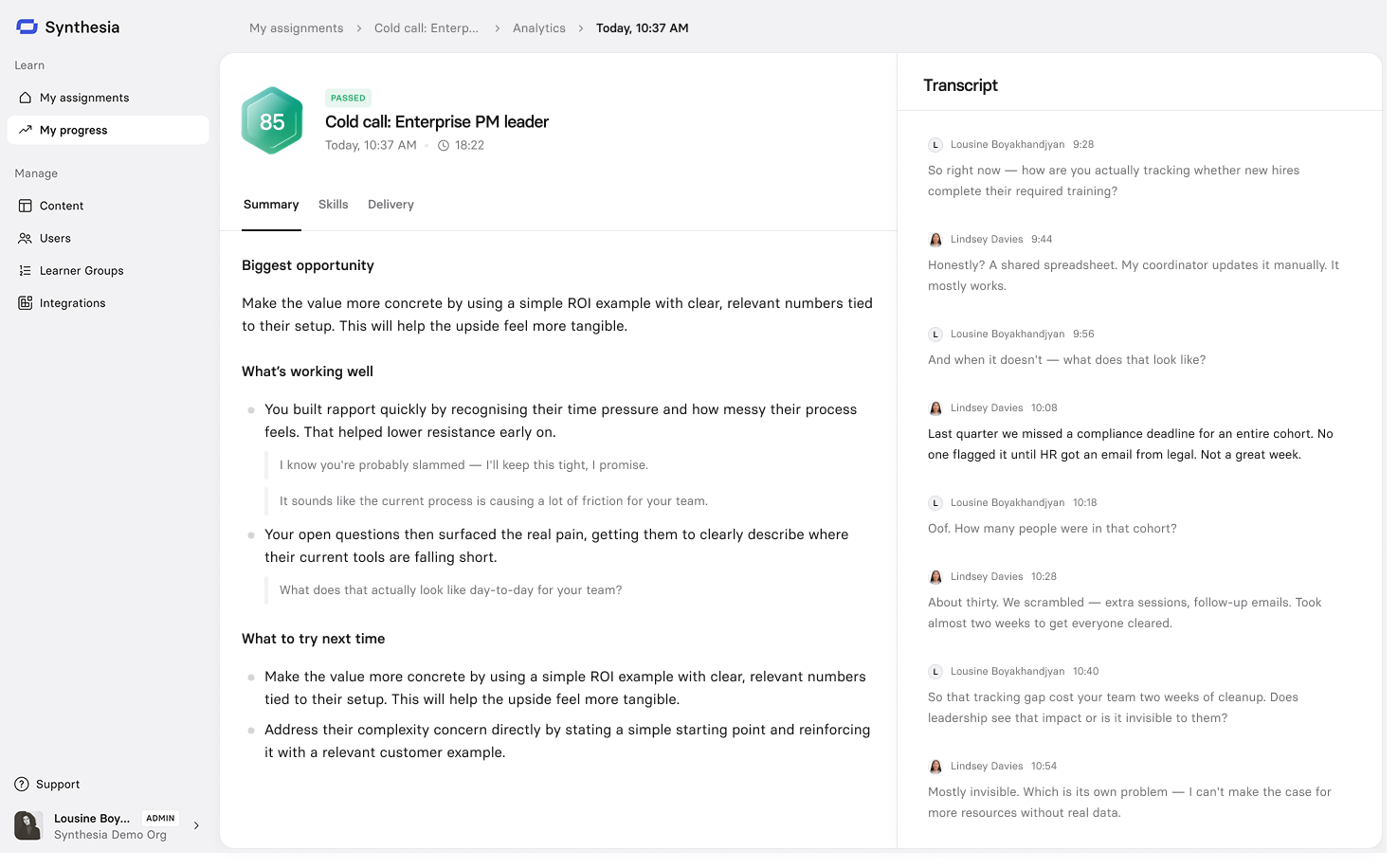
The header shows the attempt's score, pass/fail status, date, and call length. Below it, three tabs break the results down: Summary, Skills, and Delivery.
Transcript
The full conversation transcript sits alongside the Summary, Skills, and Delivery tabs, so learners and managers can see exactly what was said.
On the Summary and Skills tabs, feedback is linked directly to the moment in the transcript that supports it:
- Hover over an annotation to preview the transcript excerpt inline
- Select an annotation to jump to that moment in the transcript
This makes it easy to verify exactly why an attempt earned the score it did, without re-reading the whole conversation.
Summary
A high-level view of how the attempt went, including areas for improvement, with specific suggestions for what to do differently next time.
Skills
A breakdown of the attempt against every skill scored in the scene.
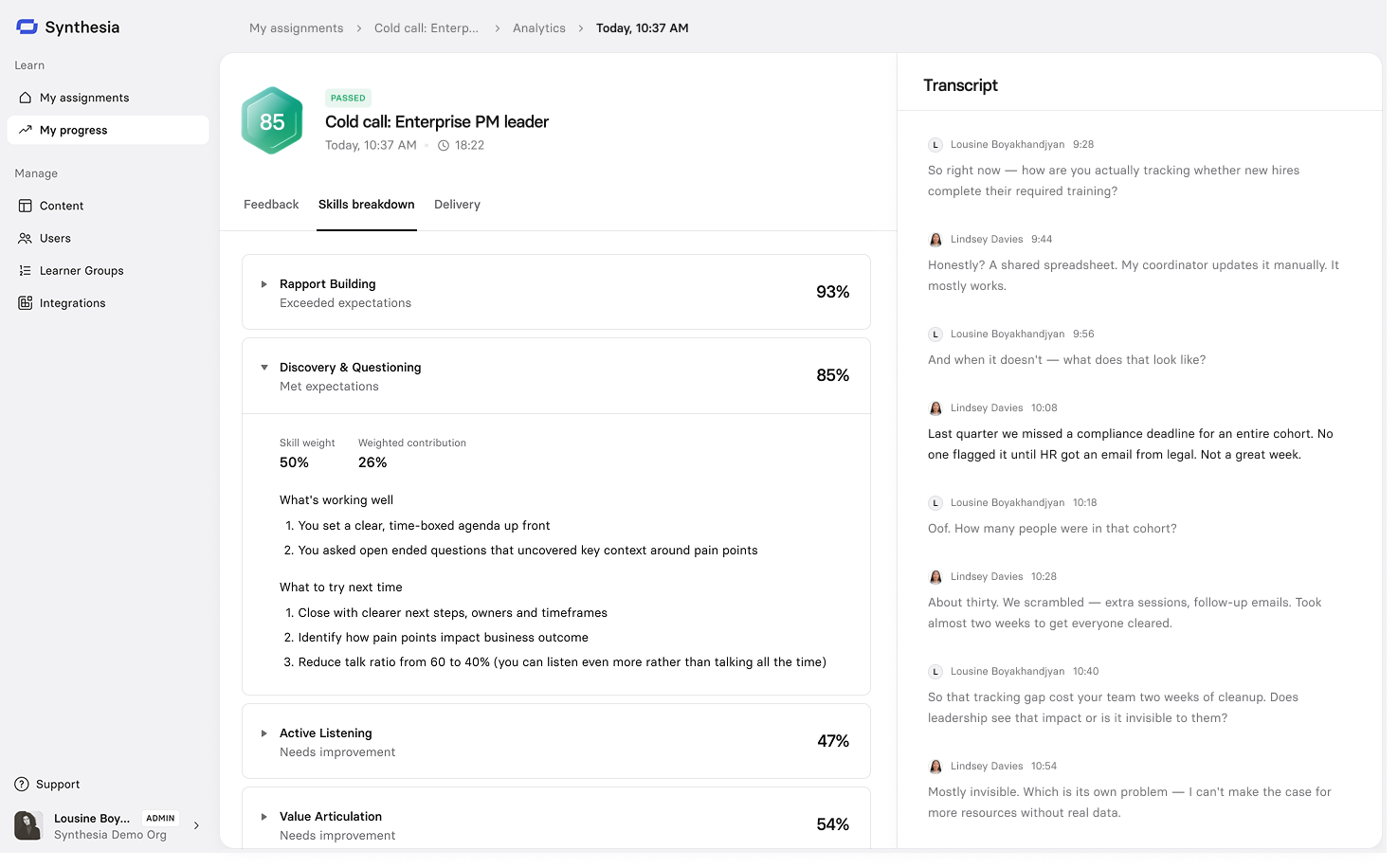
Toggle each skill to expand it and see the following details:
- The score for that skill, and which scoring level it landed on (e.g. Below expectations)
- Skill weight and weighted contribution: how much that skill counts toward the overall score, and how much it actually contributed
- Areas for improvement specific to that skill
Delivery
Delivery shows descriptive communication metrics for the attempt (how the learner communicated, separate from how they scored). These are always calculated automatically for any attempt with a transcript.
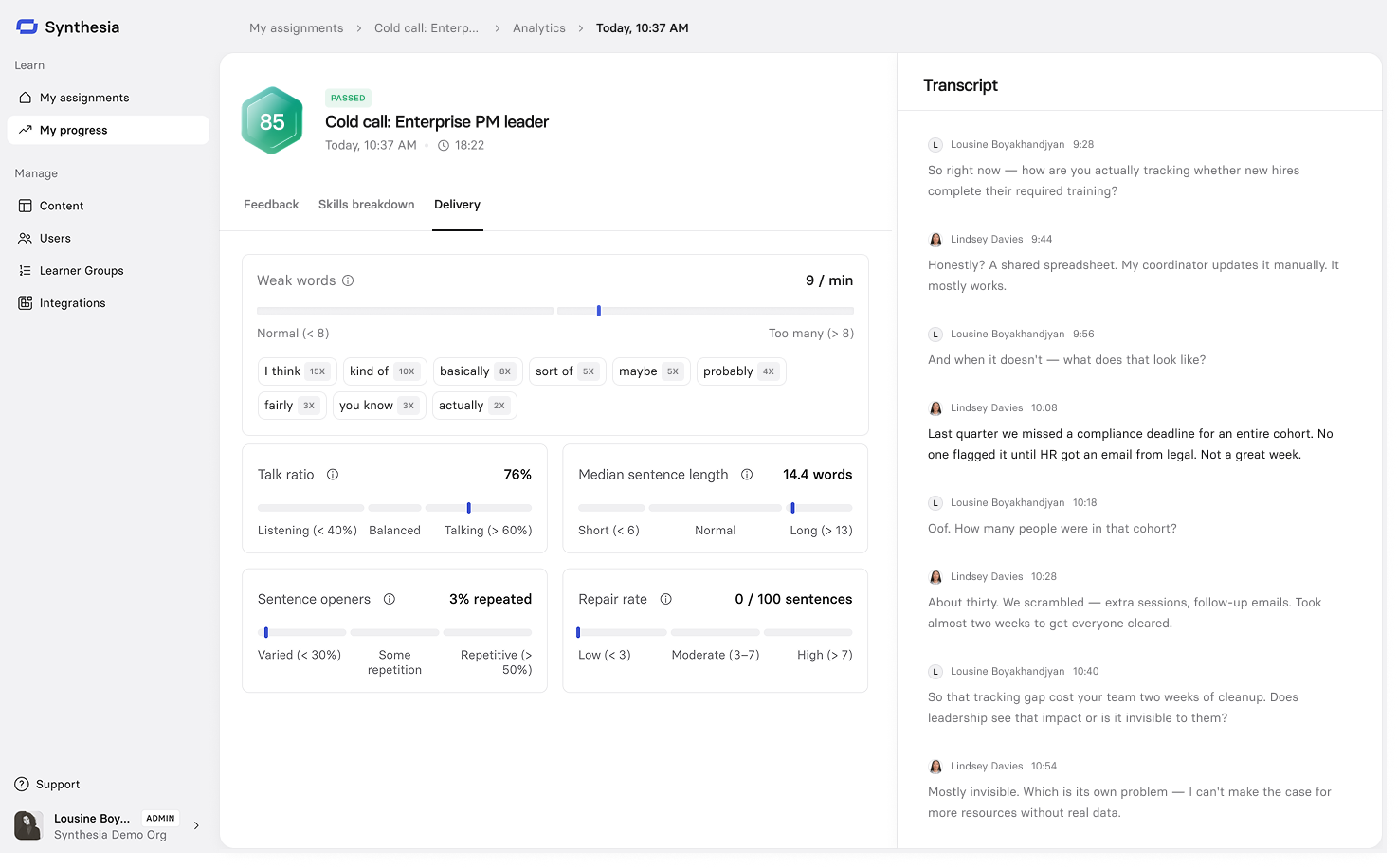
| Metric | What it measures |
|---|---|
| Weak words | Filler words and hedges per 100 words. Fewer than 6 signals confident, direct speech. |
| Talk ratio | How much the learner spoke vs. the AI persona. A balanced ratio sits around 40–60%. |
| Median sentence length | The median number of words per sentence. 6–13 words keeps ideas clear and easy to follow. |
| Sentence openers | How often sentences start with the same words. More repetition can sound monotonous. |
| Repair rate | How often the learner self-corrects or rephrases mid-conversation, per 100 sentences. |
Updated about 2 months ago