---
updatedAt: 2026-09-14T15:37:36.000Z
---
Fetch the complete documentation index at: https://docs.synthesia.io/llms.txt. Use this file to discover all available pages before exploring further. Append .md to any documentation page URL to get its markdown version.
# Video API Quickstart
Create your first video with Synthesia API
{`
`}
## Create your API key
To use Synthesia API, start by creating your API key:
1. Go in the upper right corner of the Synthesia application and click on your account.
2. Select *Integrations*
3. Click on `Add` to add a new Synthesia API key.
4. Copy this key thanks to the 3-dot button on the right side of your API key.
> 🚧 When you create an API key it will belong to your account, not the workspace.
>
> This means that if you create any webhook subscriptions with your API key, it will be tied to you and not the entire workspace.
## Using your API key
Enter the copied API key in the Authorization header of any endpoint to have it available. Click on `Try it!` in order to test the endpoint.
## Create your first video
In the Synthesia API documentation enter the API key you copied from above in the [Create a video endpoint section](https://docs.synthesia.io/reference/create-video) and enter the following value for the endpoint parameters (leave all other parameters to default value):
| Parameter | Value |
| :----------- | :----------------------------------------------------------------------------- |
| `test` | `true` |
| `title` | `My first Synthetic video` |
| `scriptText` | `Hello, World! This is my first synthetic video, made with the Synthesia API!` |
| `avatar` | `anna_costume1_cameraA` |
| `background` | `green_screen` |
Once done press the `Try it!`, if successful you should receive a 201-status code that looks like this:
**Note**: Store the video ID returned, it is required for the rest of the quick start, in the image above the id is: `00db5057-ad78-49ab-9e1d-00f1cd891273`
Go into your Synthesia account under the My video section to confirm the newly created video:
## Download the video
As soon as you create a video, Synthesia begins processing it. This can take from 3 to 5 minutes. Poll the [Retrieve a video endpoint](https://docs.synthesia.io/reference/retrieve-a-video) to see the video status:
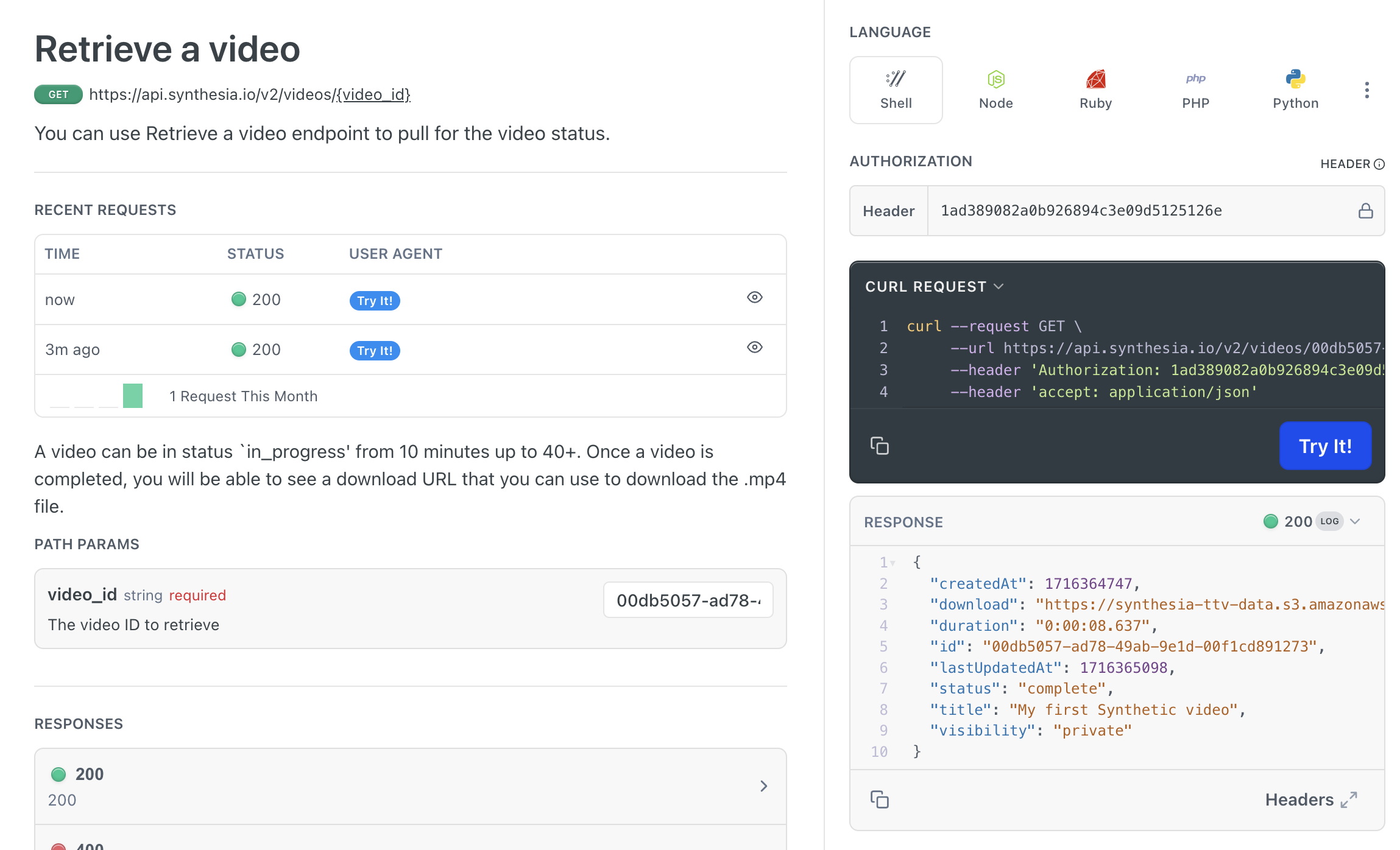
When the video is ready for playback, the video `status` changes to `complete`, the response includes then a time-limited download link in the `download` attribute, use this link to download the video as an `.mp4` with:
```curl curl
curl ${DOWNLOAD_URL} --output my_first_synthetic_video.mp4
```
And done! You have created your first video and downloaded it. Note that rather than polling Synthesia API, it is possible to configure a webhook to which Synthesia sends a notification when a video completes successfully. Refer to the [Synthesia webhook API documentation](https://docs.synthesia.io/reference/webhooks/) to learn how to leverage it.
# Sibling pages
* [Video API Introduction](https://docs.synthesia.io/reference/video-api-introduction.md)
* [Templates](https://docs.synthesia.io/reference/templates.md)
* [Videos](https://docs.synthesia.io/reference/videos.md)
* [Dubbing](https://docs.synthesia.io/reference/dubbing.md)
* [Translations](https://docs.synthesia.io/reference/translations.md)
* [Webhooks](https://docs.synthesia.io/reference/webhooks.md)
* [Audit Logs](https://docs.synthesia.io/reference/audit-logs.md)
* [Assets](https://docs.synthesia.io/reference/assets-1.md)