---
updatedAt: 2026-09-17T16:36:58.000Z
---
Fetch the complete documentation index at: https://docs.synthesia.io/llms.txt. Use this file to discover all available pages before exploring further. Append .md to any documentation page URL to get its markdown version.
# Developers
Create and manage API keys, and find quickstart resources for building with Synthesia's APIs.
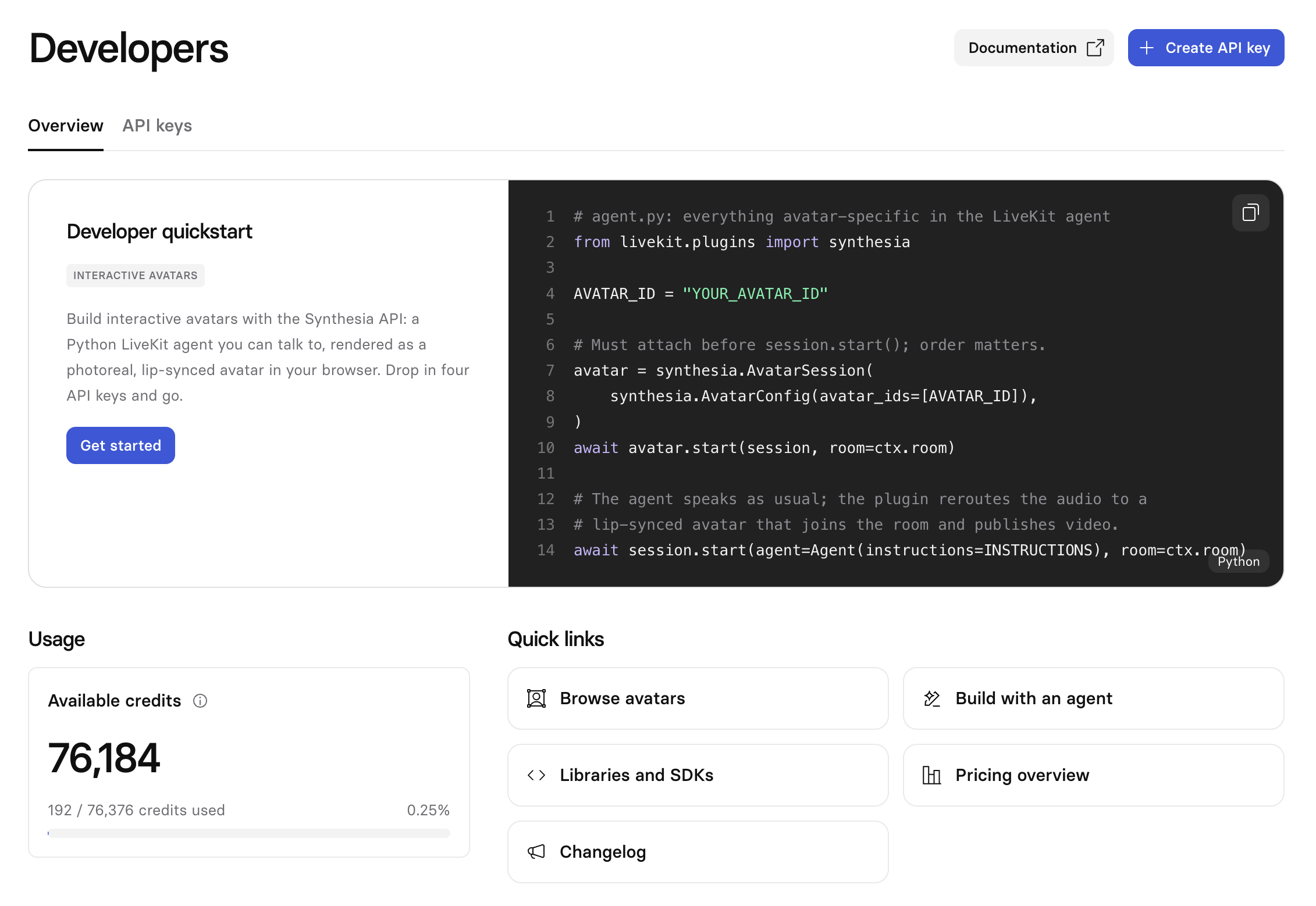
The `Developers` page in Synthesia Studio brings together your API keys, credit usage, and quickstart links in one place. Use it to get an API key and start building against Synthesia's APIs.
## Overview
The `Overview` tab has:
* **Developer quickstart**: a code sample and a `Get started` button for the API you're building with.
* **Usage**: your available credits and how much you've used.
* **Quick links**: shortcuts including browsing avatars, building with an agent, libraries and SDKs, pricing, and the changelog.
## Create an API key
1. Select `Developers` in the sidebar, then the `API keys` tab.
2. Select `New API key`.
3. Enter a `Name` for the key.
4. Choose a `Scope` (see below).
5. Choose when the key `Expires`: in 7 days, 30 days, 90 days, 1 year, or never. The default is 30 days.
6. Select `Create API key`.
Your API key is only shown in full at creation. Copy it and store it somewhere safe—it can't be viewed again afterward.
## API key scopes
Each key is scoped to one API surface:
| Scope | Works with |
| --------------------- | ----------------------------- |
| `Interactive Avatars` | `developers.synthesia.io/api` |
| `Legacy (v2)` | `api.synthesia.io/v2` |
Use the scope that matches the API you're calling. A `Legacy (v2)` key won't authenticate against `developers.synthesia.io/api`, and an `Interactive Avatars` key won't authenticate against `api.synthesia.io/v2`.
## Managing your keys
The `API keys` tab lists every key on your account: name, a masked key, scope, expiration, status, and creation date. Search by name to find a specific key.
Select the `⋯` menu next to a key for more actions:
* `Edit key`: change the key's name, scope, or expiration, and copy its `Key ID` for support requests. This ID isn't your API key and can't be used to call the API.
* `Disable` / `Enable`: temporarily deactivate a key, or reactivate a disabled one, without deleting it.
* `Delete`: permanently remove the key.
Key values can't be viewed again after creation—only the masked version shows here, and `Copy key ID` copies the key's ID, not its value. If you lose a key, create a new one.
# Sibling pages
* [User settings](https://docs.synthesia.io/docs/user-settings.md)
* [Organization settings](https://docs.synthesia.io/docs/organization-settings.md)
* [Workspace settings](https://docs.synthesia.io/docs/workspace-settings.md)
* [Billing & Usage](https://docs.synthesia.io/docs/billing-settings.md)
* [Synthesia SSO](https://docs.synthesia.io/docs/synthesia-sso-guide.md)
* [User roles & permissions](https://docs.synthesia.io/docs/user-roles-and-permissions.md)
* [User licenses](https://docs.synthesia.io/docs/user-licenses.md)
* [Audit logs](https://docs.synthesia.io/docs/audit-logs.md)
* [Synthesia integrations](https://docs.synthesia.io/docs/synthesia-integrations.md)