---
updatedAt: 2026-08-24T19:26:30.000Z
agentTools:
projectIndex: https://docs.synthesia.io/llms.txt
---
# Bulk personalization
Create hundreds of personalized videos in bulk using CSV and XLSX files and video templates with variables.
Bulk video personalization allows you to automate video generation—it's a simple and straightforward way to create personalized videos without either using Synthesia's API or manually duplicating and editing videos. Upload a `.csv` or `.xlsx` file, map your fields, customize your videos, and generate them in bulk. Once they're ready, you'll receive an email and in-app notification to download a `.csv` with shareable video links for seamless distribution.
### Note:
Variables let you control the content of your videos without editing them directly in the editor.
See [Add variables for programmatic video creation](https://docs.synthesia.io/docs/synthesia-templates#add-variables-for-programmatic-video-creation) to learn about the different variable types and how to add them to a template.
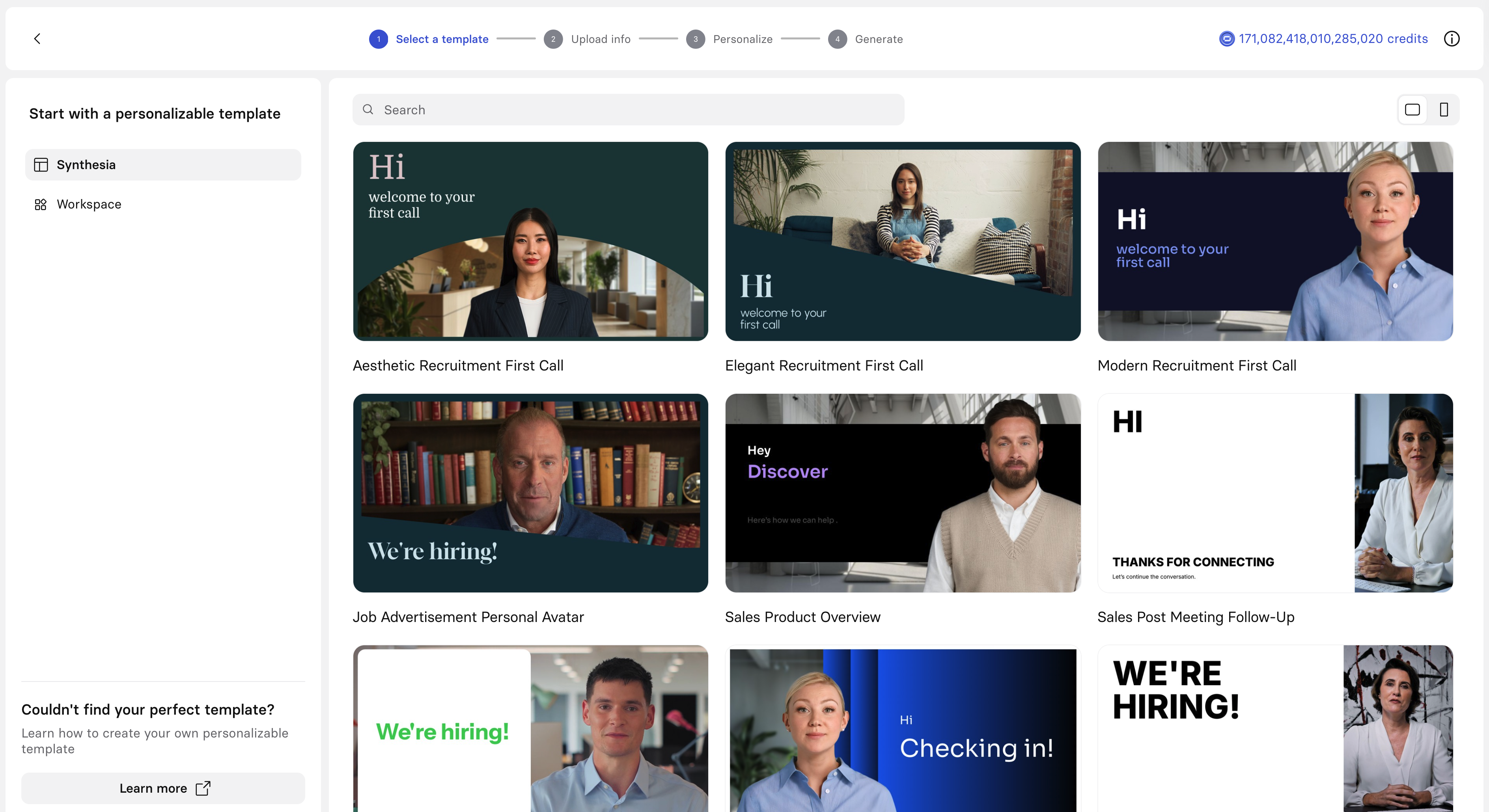
## Personalizable templates
### Pre-designed templates
Synthesia offers pre-designed templates for various use cases including sales outreach, feature updates, follow-ups, and recruitment. These templates come with built-in variables for easy personalization—script variables, canvas text variables, and avatar variables.
Select any personalizable template to see the variables that are available for mapping and preview the layouts in which they'll appear:
### Custom templates
You can use your own custom templates with variables to create personalized videos as well. See [Add variables for programmatic video creation](https://docs.synthesia.io/docs/synthesia-templates#add-variables-for-programmatic-video-creation) to learn about creating and using your own custom templates with variables.
## Bulk personalization
After you select a template, you'll be able to either personalize a single video by entering values for the variables directly, or upload a spreadsheet (`.csv` or `.xlsx` format) to import values for variables from.
You can download a sample spreadsheet to test out field mapping by selecting `Get a sample file`:
### Note:
Make sure that the first row of your spreadsheet is the header row. If the first row is something else—like several columns merged into a single cell with the title of the spreadsheet itself in it—you won't be able to map the values in the spreadsheet to variables.
### Important:
It's not possible to save your videos or your progress before generation. If you've started the bulk video creation process and navigate away without generating your videos, you'll lose your progress and have to start over.
**To bulk personalize videos:**
1. Upload a `.csv` or `.xlsx` file containing personalization data.
2. Map the file columns to the variables in the template. You won't be able to generate videos unless all of the variables have columns mapped to them.
3. Customize the following options for all of the videos:
* Title
* Description
* Whether or not to create shareable links (enabled by default)
* Whether or not to allow search engine indexing (disabled by default)
* Whether or not to include a call-to-action button (disabled by default)
* Whether or not to add a unique identifier to your videos—each video's [callback ID](https://docs.synthesia.io/reference/videos)—as an additional column in the spreadsheet you receive after generating your videos (disabled by default)
4. Select `Generate` and confirm your decision to generate videos. Synthesia estimates the duration of all the videos to be generated, and only proceeds with generation if the total doesn't exceed your balance of available minutes.
5. Once triggered, video generation can't be stopped, so this confirmation step minimizes the chance of accidentally generating many videos at once.
6. Synthesia creates a folder containing all of the personalized videos.
7. You're notified once the videos are ready, via email and an in-app notification, and can download a `.csv` file containing each video's title, ID, status, share page URL, thumbnail URL, and video overview page URL.
Once you've downloaded the `.csv`, you can copy and paste links to share, or further automate the process with your automation platforms and tools.
# Sibling pages
* [Dubbing](https://docs.synthesia.io/docs/video-dubbing.md)
* [AI Playground](https://docs.synthesia.io/docs/ai-playground.md)
# What’s Next
* [How do I personalize videos in bulk? - Synthesia Knowledge Base](https://help.synthesia.io/en/articles/10503122-how-do-i-personalize-videos-in-bulk)